
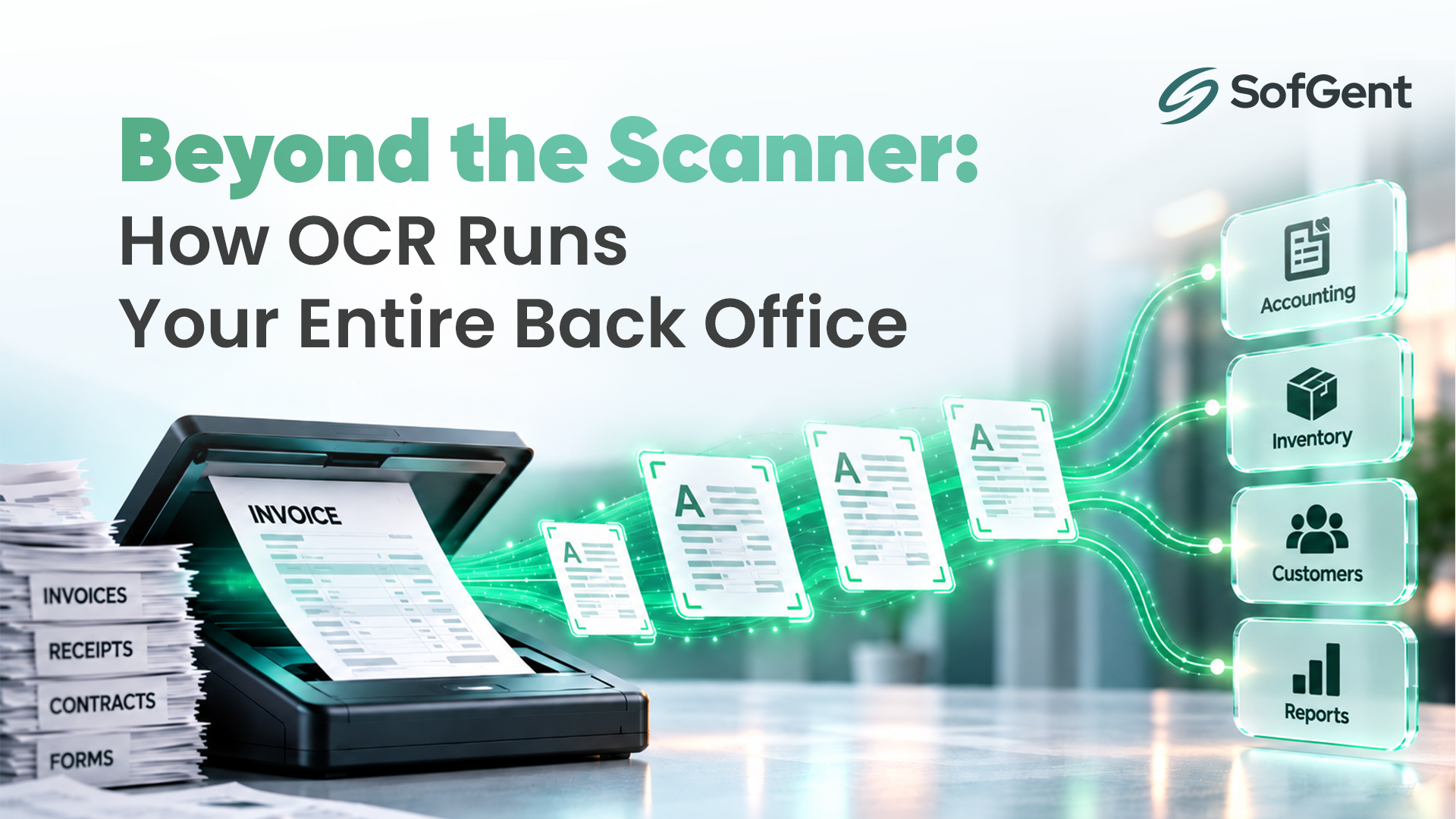
Ask most people what OCR (Optical Character Recognition) does, and you'll get some version of "it turns a scanned page into text." True, but that's like saying an ERP system just "stores data." The definition is correct; it just misses the point.
In 2026, OCR has quietly become one of the most practical entry points into business automation. It's the technology sitting behind faster loan approvals, cleaner invoice processing automation, safer customer onboarding, and searchable archives that used to take a filing clerk half a day to dig through. Businesses that still treat OCR as "the scanner thing" or stop at installing the best OCR software for business they can find off the shelf are leaving a lot of efficiency and money on the table.
Let's get into what OCR actually does for companies today, with real use cases instead of textbook definitions.
What Modern OCR Actually Does
Traditional OCR reads characters off a page. Modern, AI-powered OCR often bundled under the term Intelligent Document Processing (IDP) goes further. It doesn't just recognize text; it understands structure. It knows the difference between a vendor name and an invoice number, a due date and a delivery date, a signature field and a stamp.
That distinction matters because it's what separates basic OCR from genuine AI document processing solutions and it's what turns OCR from a document-scanning utility into a business process automation tool.
Real Business Use Cases for OCR
1. Invoice Processing and Accounts Payable
This is where OCR delivers the fastest, most measurable ROI. Instead of an AP team manually keying in vendor names, invoice numbers, and line items, invoice processing automation extracts that data directly from PDFs, scans, or email attachments and pushes it into accounting or ERP systems. Paired with automated three-way matching (invoice vs. purchase order vs. goods receipt), it catches overbilling and pricing errors before a payment ever goes out, not after finance discovers it in a quarterly audit.
For companies processing hundreds of invoices a month, this alone can cut manual data entry by a significant margin and eliminate a whole category of costly human error.
2. Contract and Legal Document Management
Contracts are often the least searchable documents in a company, despite being some of the most important. OCR converts static PDF contracts into structured, searchable data pulling out parties, dates, payment terms, obligations, and renewal clauses. Legal and procurement teams can then set automated alerts for expirations instead of relying on someone remembering a renewal date buried in a 40-page agreement.
3. Customer Onboarding and KYC Verification
Banks, fintech platforms, and insurance companies deal with heavy documentation requirements before a customer can even open an account. OCR lets a customer photograph a driver's license or passport, and the system extracts and verifies the information in seconds, often combined with liveness checks and database cross-referencing. The result is a smoother sign-up experience without cutting corners on compliance.
4. Healthcare Records and Patient Data
Hospitals and clinics still generate enormous volumes of handwritten notes, prescriptions, and scanned patient files. OCR digitizes these records, making patient histories searchable and reducing the risk of critical information getting lost in a paper trail which, in healthcare, isn't just an efficiency issue, it's a safety one.
5. Logistics and Supply Chain Documentation
Delivery notes, shipping manifests, customs forms, and warehouse labels move fast and in large volumes. OCR automates the capture of this data so shipments can be tracked, reconciled, and reported on without someone manually re-typing details from a delivery slip into a tracking system.
6. Searchable Archives and Institutional Knowledge
This one is easy to overlook. Any company sitting on years of scanned files, PDFs, or image-based records has a searchability problem, you can't find a specific clause across 500 old contracts, or locate one receipt from a specific vendor, without opening files one by one. OCR turns that dead archive into a searchable knowledge base, which also improves accessibility since digitized text can be read by screen readers.
7. Fraud Detection and Compliance
Modern OCR, combined with AI validation, can flag duplicate invoices, missing fields, or inconsistent data at the point of entry, well before it becomes a compliance headache or a fraud loss. This kind of early-detection layer is increasingly standard in finance, insurance, and audit-heavy industries.
Why This Matters Beyond "Saving Time"
The common thread across every use case above isn't just speed, it's what speed unlocks. When invoice processing takes minutes instead of days, finance teams can close books faster. When contracts are searchable, legal teams stop babysitting renewal dates. When onboarding is instant, customer acquisition doesn't leak at the sign-up step.
OCR, used well, doesn't just digitize paperwork. It removes friction from the actual moments where a business makes or loses money, like payments, compliance, customer sign-up, and decision-making.
Off-the-Shelf vs. Custom: Choosing the Right Approach
Once a business decides to move on this, the next question is usually "buy or build?" Searching for the best OCR software for business will turn up plenty of solid off-the-shelf tools, fine for straightforward text extraction on a limited budget. But most companies quickly outgrow them, because generic OCR tools stop at "read the text." They don't understand your invoice format, your approval chain, or your compliance rules.
That's where dedicated document automation services earn their keep. Instead of just digitizing a file, they route extracted data straight into your accounting system, flag exceptions, and cut out the manual re-typing entirely, turning a basic scanning tool into real invoice processing automation built around how your team actually works.
And for companies with more complex, judgment-heavy workflows, multi-format contracts, mixed-language documents, or regulatory review, fully custom AI document processing solutions can be trained on your specific document types and business logic, something generic OCR tools were never designed to do.
The Real Question Isn't "Do We Need OCR?"
For most document-heavy businesses, the answer to that is already yes. The real question is whether OCR is bolted onto an existing manual process as an afterthought, or built into a redesigned workflow where extracted data flows straight into the systems your team already uses like ERP, CRM, accounting software, or a custom internal tool.
That's the difference between OCR as a gimmick and OCR as infrastructure.
If your business is still manually processing invoices, contracts, or forms, it's worth asking what that volume of repetitive work is actually costing you in hours, in errors, and in how long it takes your team to get from "document received" to "decision made."
At SofGent, we build custom AI document processing solutions that go beyond basic OCR just for extracting, structuring, and routing your business data exactly where it needs to go. Whether you're comparing the best OCR software for business or ready for tailored invoice processing automation and document automation services, get in touch with our team to talk through what's possible.